Generate PDF from a Generation Link
Once you've mapped your template fields to your Airtable data, you can start generating PDFs of your document from Airtable using a Generation Link.
You can also generate PDFs of your template using an Airtable Automation. See this doc for full details.
Choose the 'Generate on a click' option
Once you've mapped your data, you'll be presented with two choices for triggering your PDF generation:
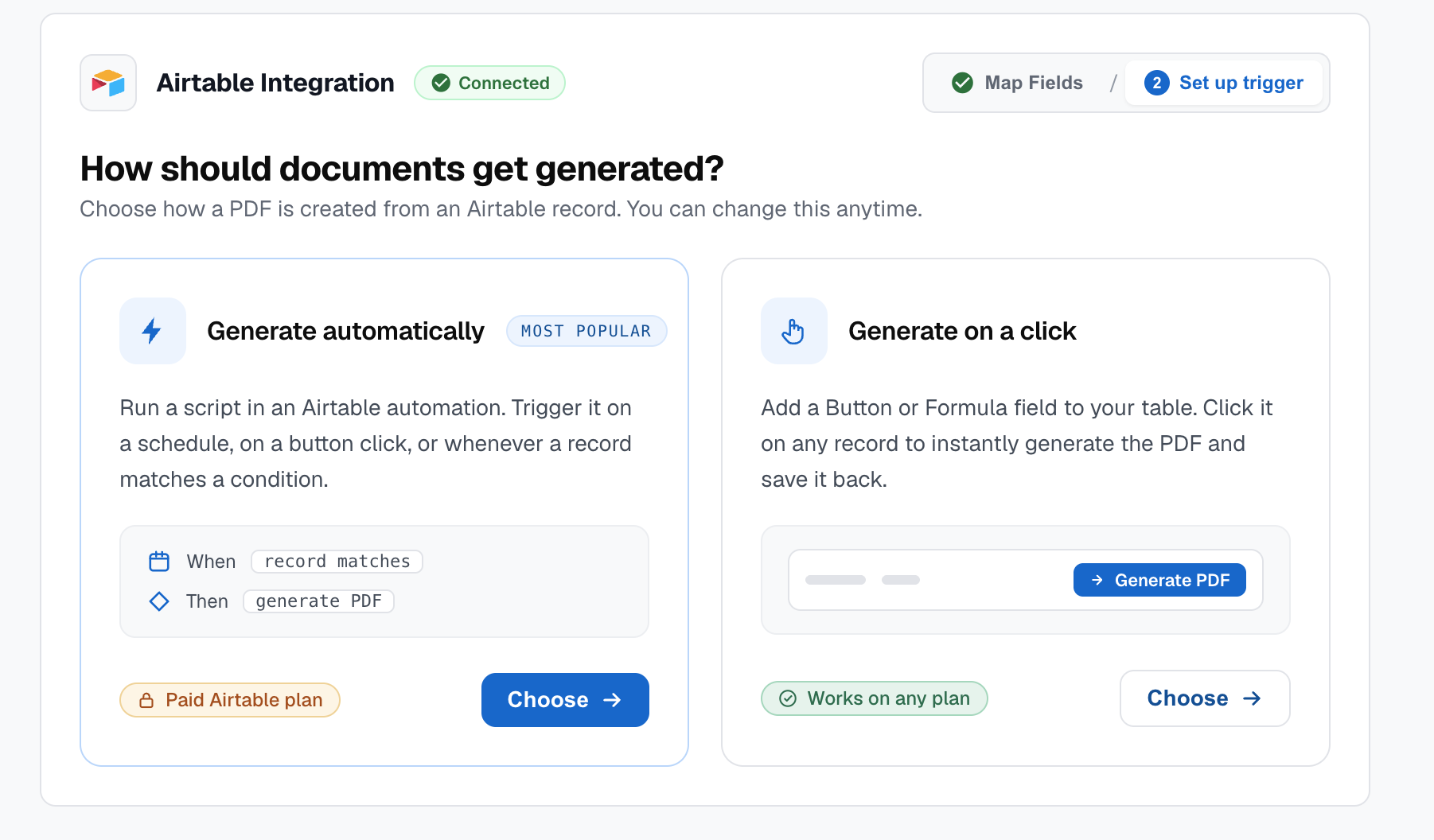
Choose the Generate on a click option. You'll see a code snippet that you can copy. This will be used in the next step.
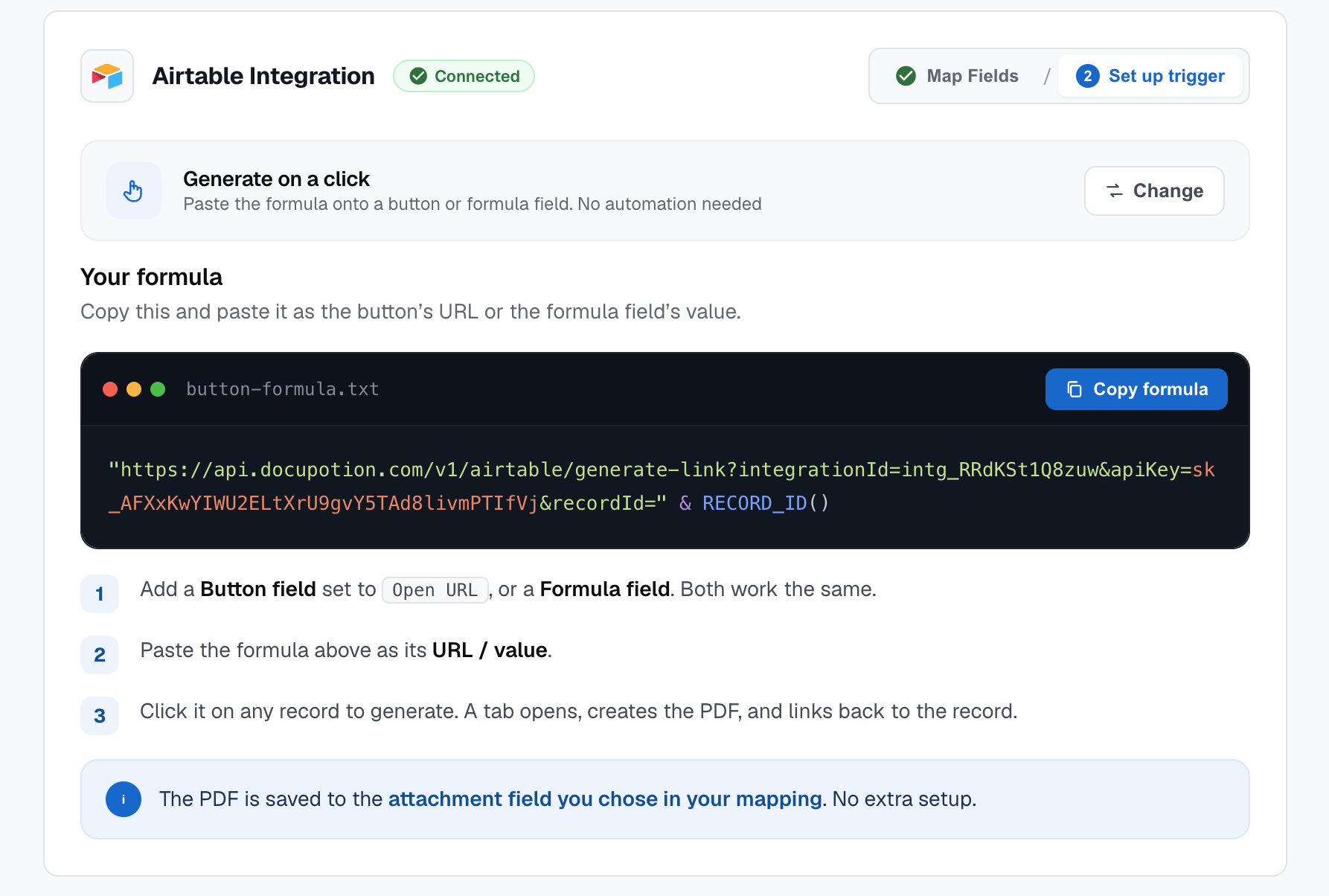
Trigger the generation from a button or formula click
To trigger the generation link, add either a button or formula field to your Airtable table. Select the Open URL action and paste in your generation link from the DocuPotion editor.
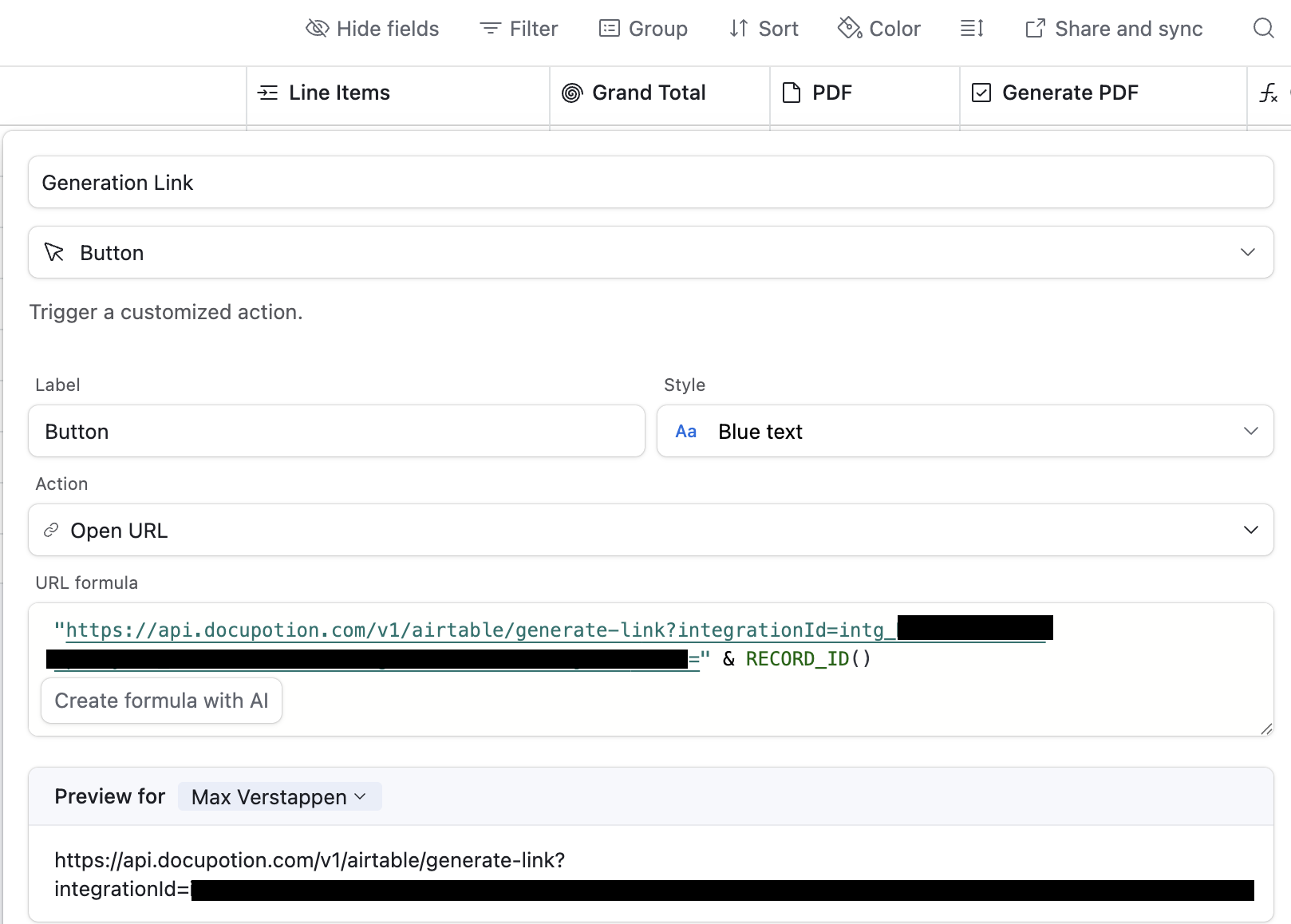
Whenever you click the button (or formula), a new window will be opened and your PDF generation will be triggered. Once it's complete, you'll be able to click on a link to view your PDF and it will be automatically uploaded to the attachment field you specified in the data mapping stage.