Error Handling in Bubble (Create PDF action)
This article discusses error handling when using the 'Create PDF' plugin action in Bubble apps. For details on error handling with our API, please check our API docs.
If you have set DocuPotion up in your Bubble app and fail to see any PDF generated when you trigger the 'Create PDF' action, there are two possible causes:
1. An error occurred
If an error occurs while a PDF is being generated, DocuPotion will return an error message as part of the webhook it sends to your backend workflow.
If the PDF is generated successfully a blank value will be returned for the error message
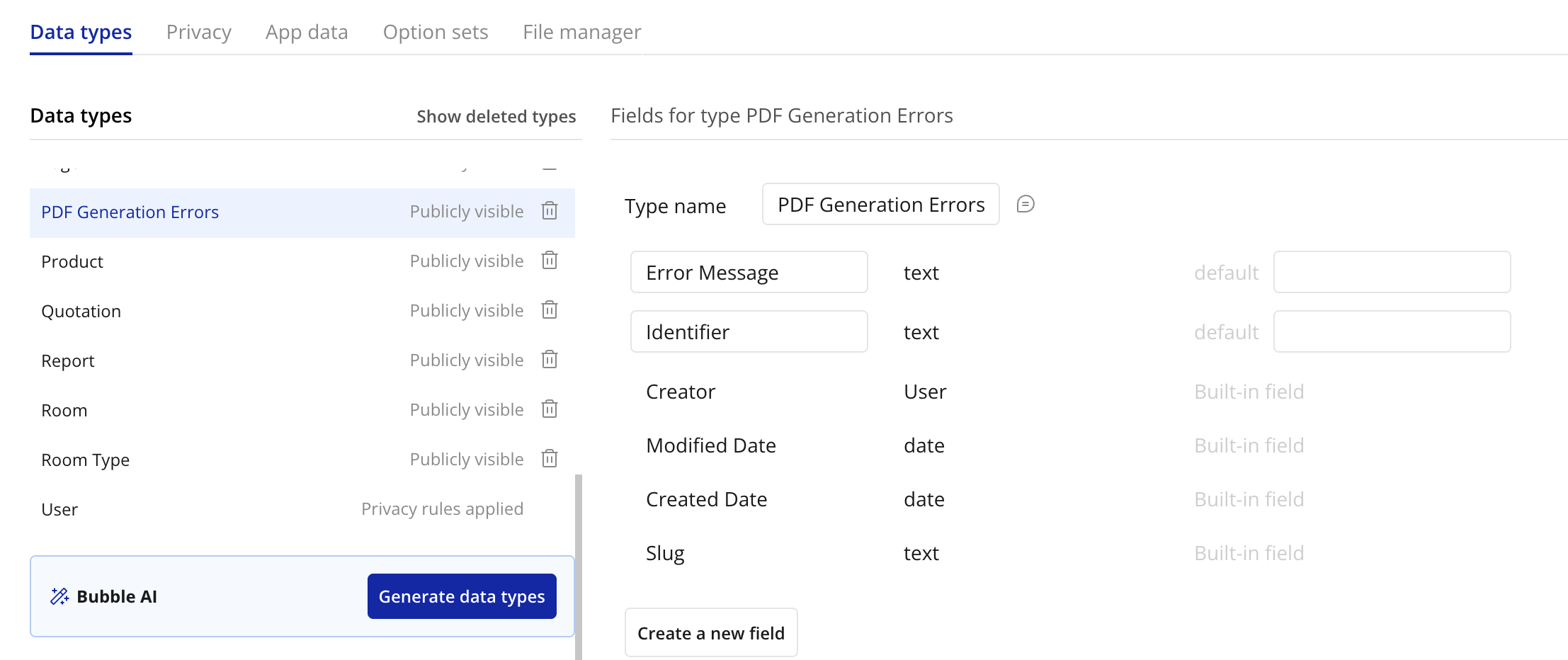
You can capture the error by creating a new data type:
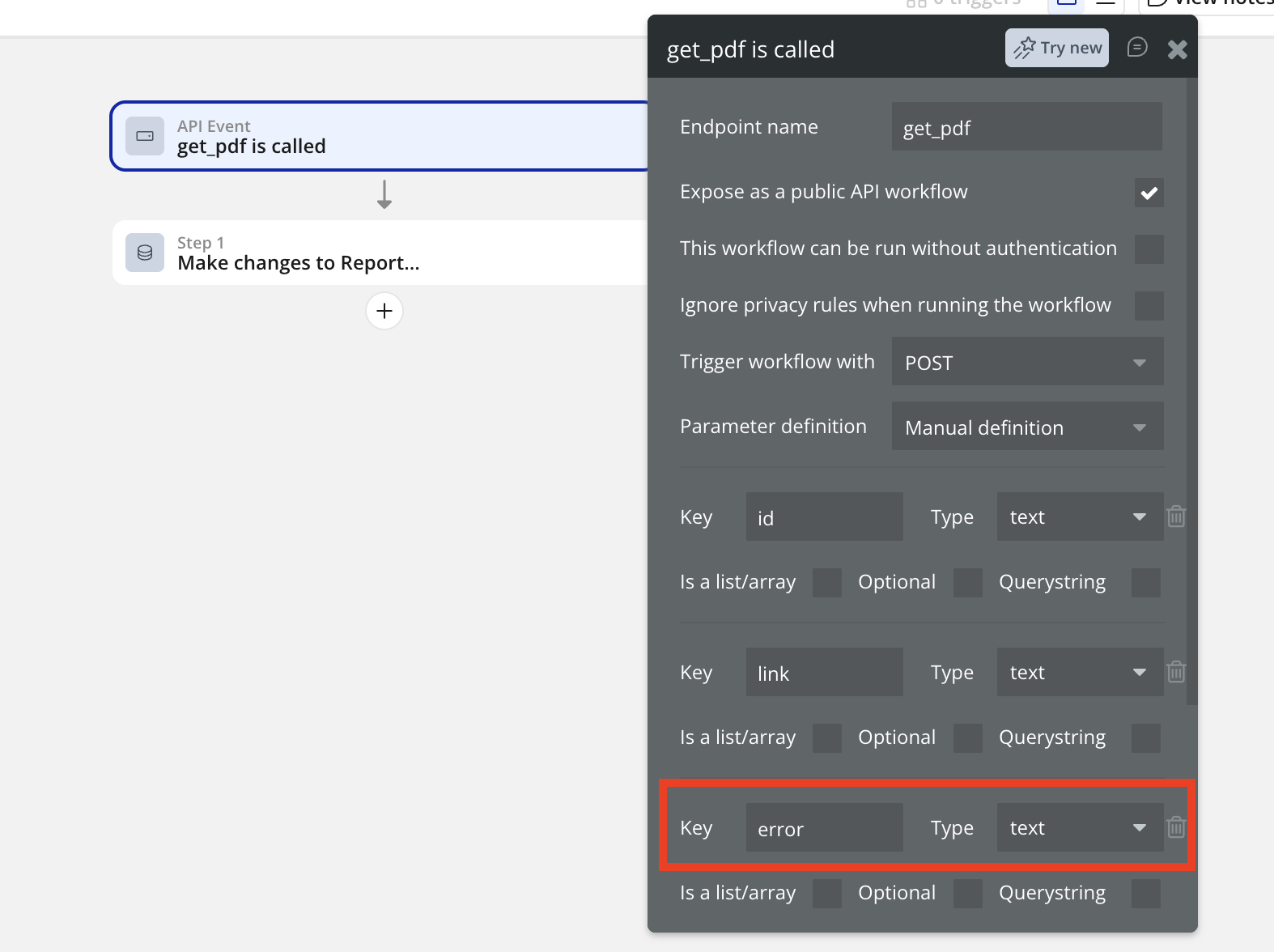
Next, add a key called 'error' to the backend workflow you're using to process the PDF (note: you must use a lowercase 'e'):
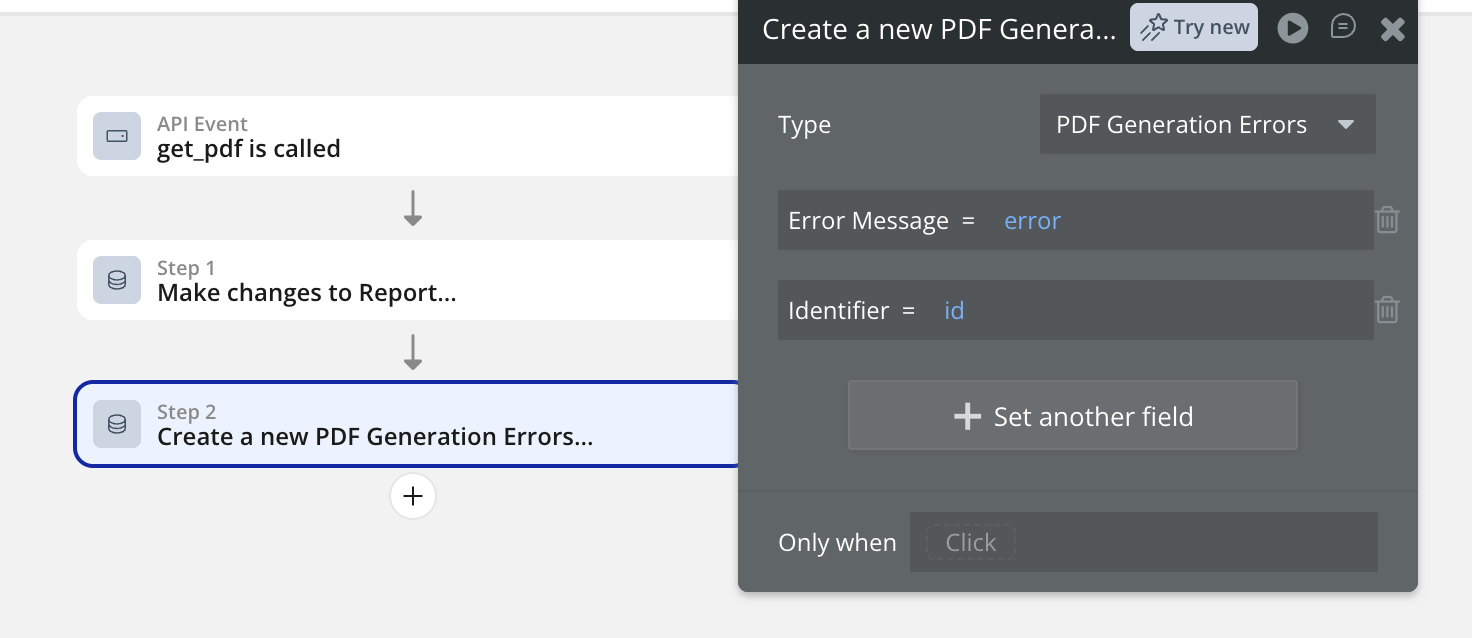
Add a new workflow action after the action that attaches the PDF 'link' to an entry in your database. Create a new 'PDF Generation' entry (or whatever custom data type you're using to capture the error).
Add an 'Only when' condition so that this action only runs when 'error' is not empty.
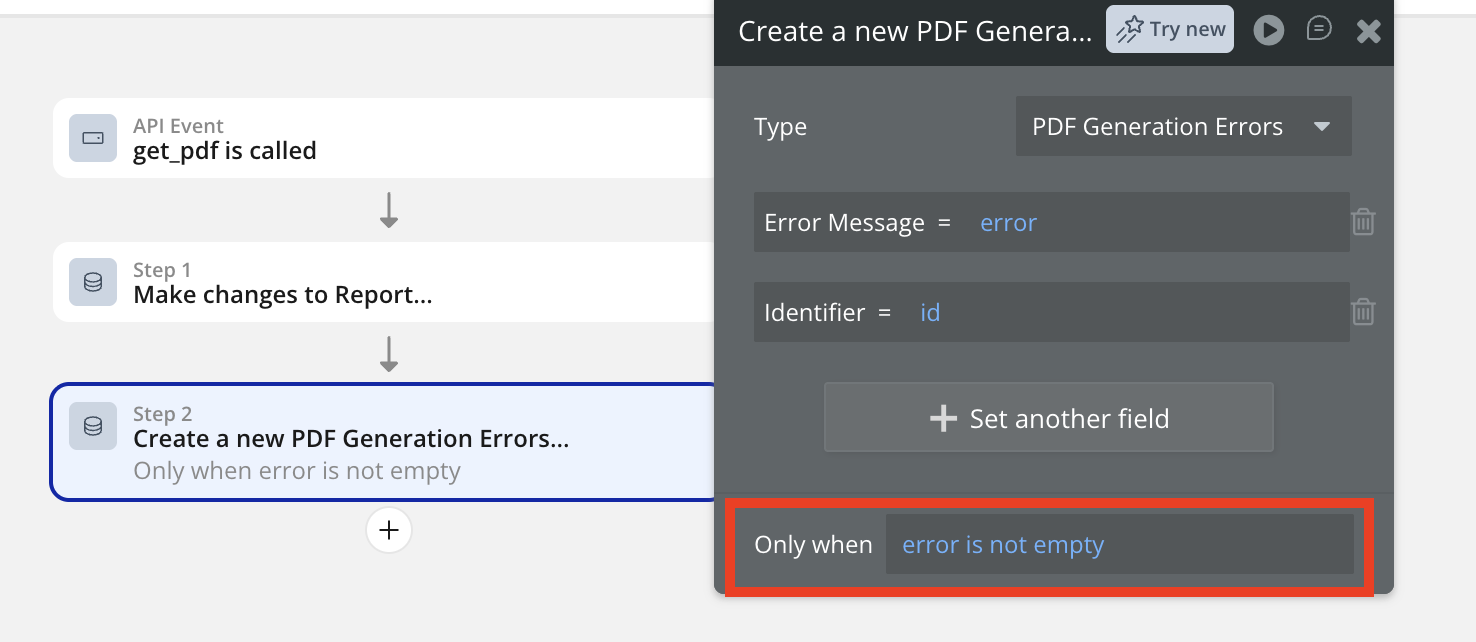
Now if an error occurs, you'll have a record of the cause. In the below example, an invalid API Key was used:
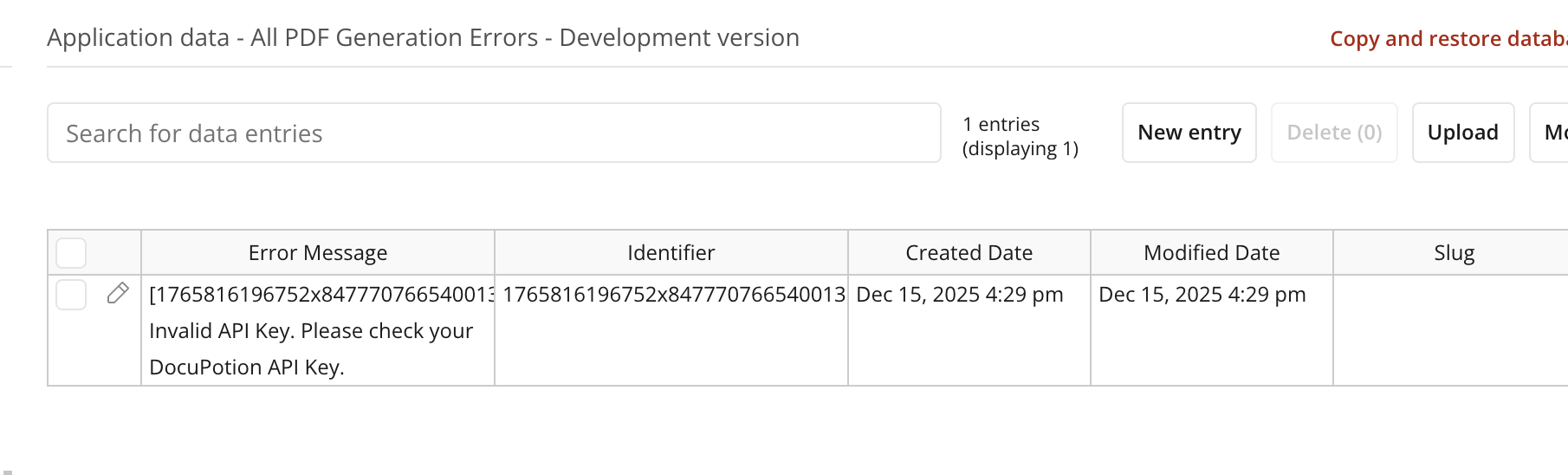
If you're not sure how to solve an error, please contact our support team and include the Error Message returned in the webhook in your message.
If you've followed the above steps, but you're not seeing any error message or PDF link it is likely your backend workflow did not run correctly - see below.
2. The backend workflow did not run
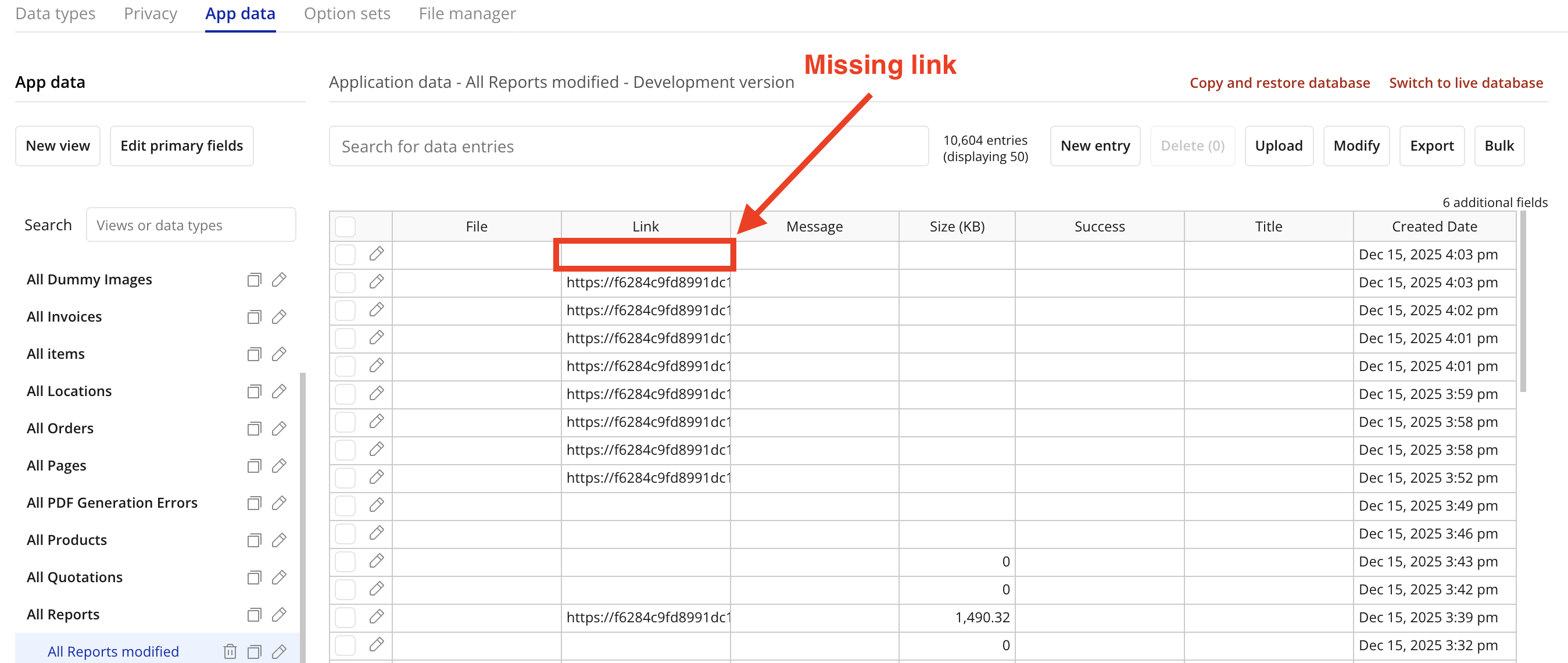
The Callback URL is the URL representing the backend workflow that attaches the PDF created by DocuPotion to an entry in your database. If this is not functioning correctly, DocuPotion will still generate a PDF and upload it to your File Manager, but it won't get attached to any entry in your database and the PDF won't download in your browser.
To check if this is the case, you can navigate to the File Manager section of your Bubble database and see if your PDF is there:
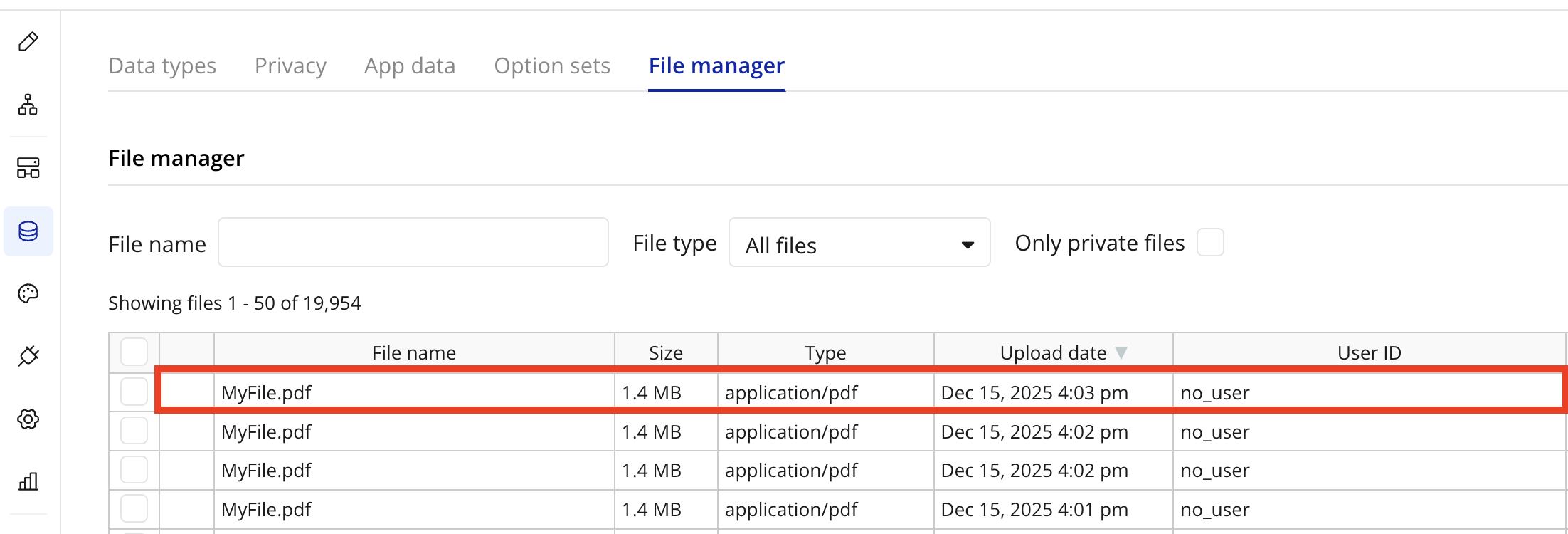
If it's present in the file manager, but not linked to an entry in your database, it confirms the Callback URL / backend workflow is not functioning correctly: